

useradmin
Users, Groups and Passwords
Create Unix accounts, set home directories and shells, manage group membership and expire passwords from one form instead of chaining useradd, usermod and chage.
Webmin transforms server administration into a more accessible and organized experience. From user account management and service configuration to system monitoring and network administration, it offers a practical web-based platform for maintaining and managing Linux and Unix servers with efficiency and precision.
https://your-server-ip:10000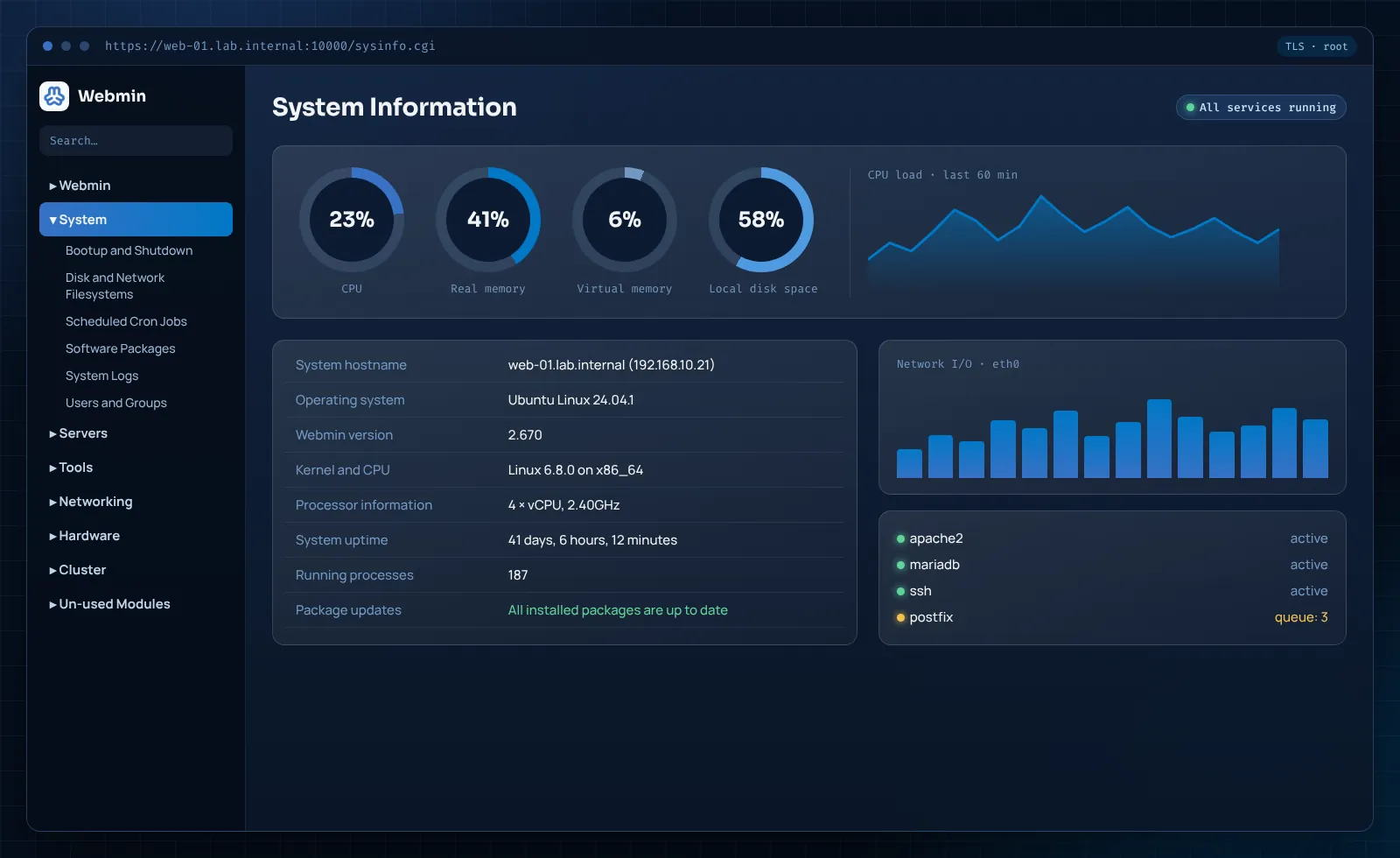 Animated system preview
Webmin is a web-based system administration tool for Linux and other Unix-like servers. It runs its own small HTTPS server, miniserv.pl, and presents each part of the operating system as a module: user accounts, software packages, scheduled jobs, disks, network interfaces, the firewall and the services you host.
Every module edits the same files you would touch over SSH, such as /etc/passwd, crontabs or an Apache virtual host, so nothing is hidden in a private database. You can switch between the panel and the command line freely, and a change made in one shows up in the other.
The project has been developed in the open since 1997, is written in Perl and is licensed under BSD 3-Clause. Its companions are Usermin for end users and Virtualmin for multi-site hosting.
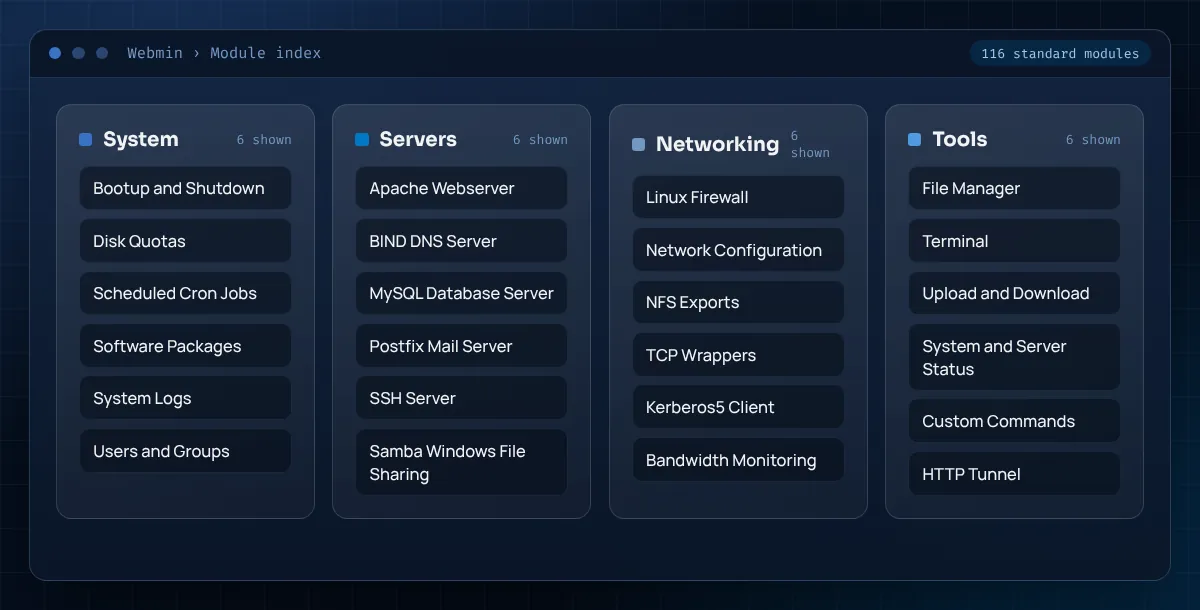
Each blade below maps to a real Webmin module. Together they cover the daily work of keeping a server patched, reachable and correctly configured.
Create Unix accounts, set home directories and shells, manage group membership and expire passwords from one form instead of chaining useradd, usermod and chage.

Search, install and remove software through apt, dnf or yum, then schedule automatic security updates and get a summary of what changed.

Read every crontab on the machine in a single table, edit schedules with dropdowns, and run a job on demand to check its output before you trust it.

Start, stop, restart and enable systemd units, and see which services come up at boot without memorising unit file names.

Partition local disks, mount filesystems, grow LVM volumes, watch software RAID arrays and set disk quotas per user or group.

Edit iptables, firewalld or nftables rules, set interfaces, routes and DNS resolvers, and apply changes with an option to roll them back.

Modules for Apache, BIND, Postfix, Dovecot, MySQL/MariaDB, PostgreSQL, Samba and Squid turn long config files into structured screens.

Browse, edit, upload, compress and set permissions on files in the browser, or pull a remote file straight onto the server by URL.

A full interactive shell inside the panel for the jobs no form covers, using the same login session and permissions.

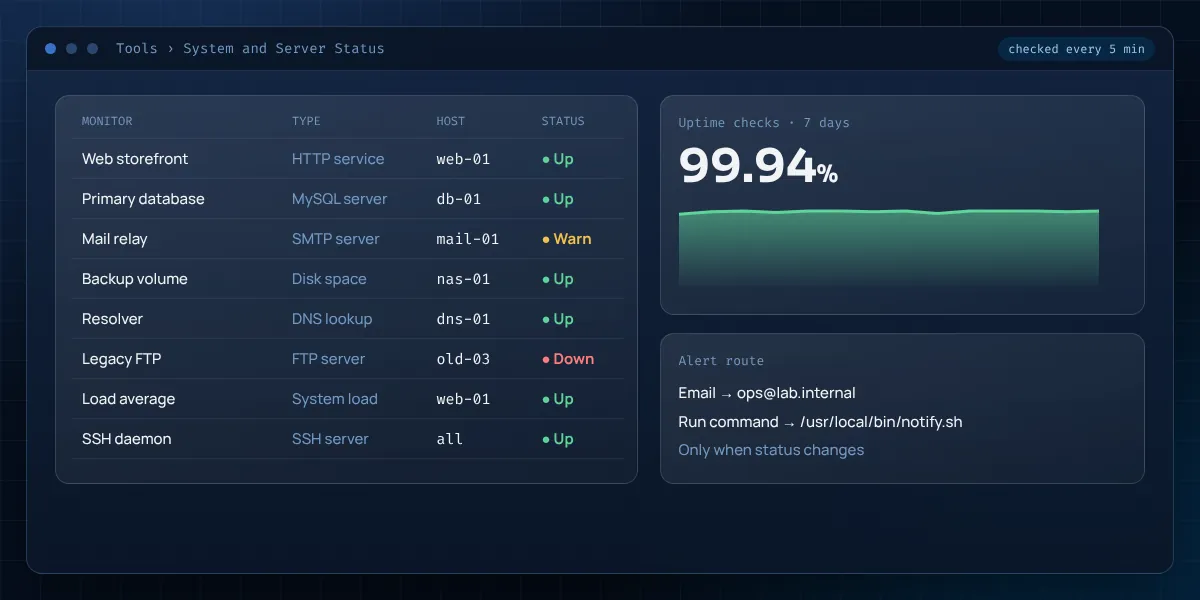
Monitor HTTP, DNS, SMTP, disk space and load, and send email or run a command when a check changes state.

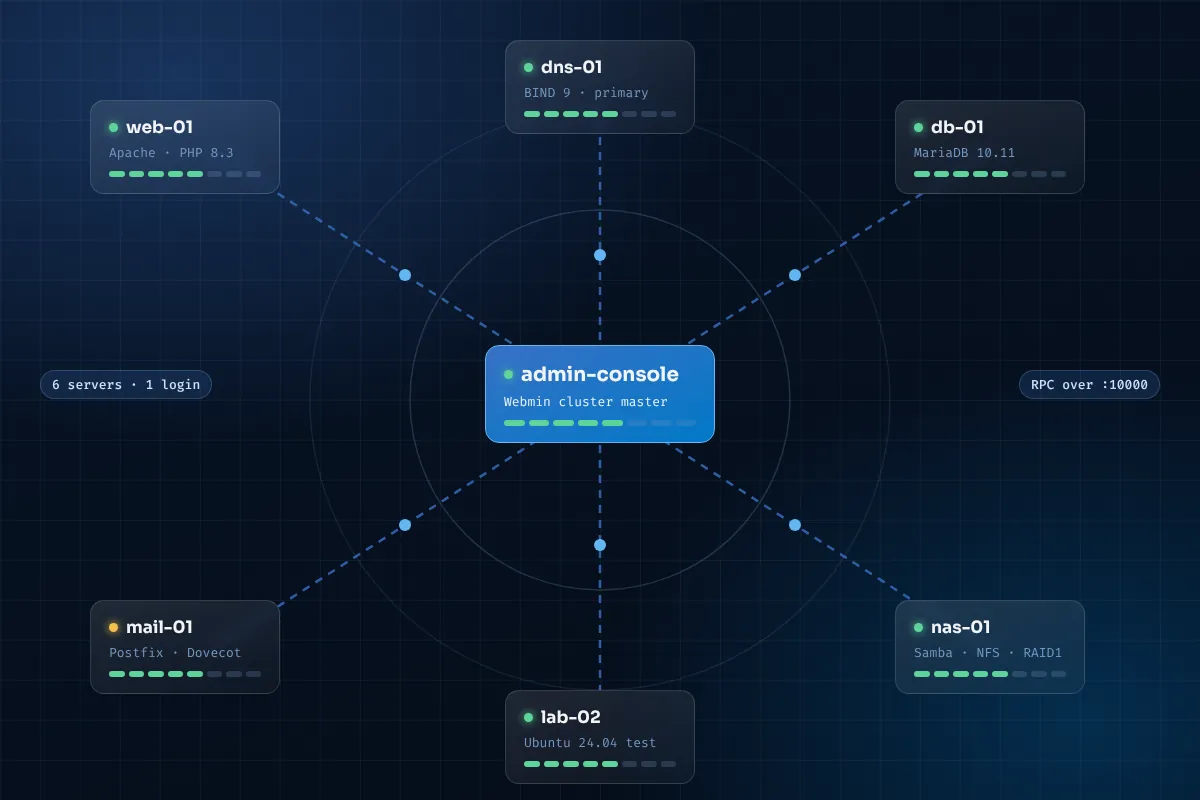
Register several Webmin hosts, then push users, packages, cron jobs or commands to all of them from one master server.

Create Webmin users who only see the modules they need, restrict logins by IP, and add time-based one-time passwords.
A click in the browser follows a short, predictable path to the files and services on the server. Knowing that path makes Webmin easy to secure and easy to debug.
Any modern browser on Linux, macOS or Windows connects to the server address.
The session is encrypted with the server's certificate before a password is sent.
It verifies the login via PAM or Webmin's user list, the source IP and your module rights.
A Perl script for that module reads the current config and builds the form you see.
On save it writes the real config file, reloads the service and records the action log.
Webmin does not need Apache, Nginx or a database of its own. Its built-in server starts with the system through a single webmin service.
Because modules edit standard config files, uninstalling Webmin leaves every setting in place and readable by hand.
With action logging enabled you can see who changed which file, when, and the before-and-after diff.
The repository method is the one the Webmin project recommends: you get signed packages and updates through your normal package manager. The source ZIP route suits review, testing and contribution.
Use a supported distribution, log in as a sudo user, update packages and make sure curl is installed.
Download webmin-setup-repo.sh and run it. It adds the signing key and the package source for apt or dnf.
Install webmin with recommended dependencies so HTTPS and PAM login work out of the box.
Allow TCP 10000 in ufw or firewalld, ideally only from your office or VPN range.
Browse to https://server-ip:10000, log in with root or a sudo user, then add a real certificate and 2FA.
# 1. tools and repository
sudo apt update && sudo apt install -y curl
curl -o webmin-setup-repo.sh https://raw.githubusercontent.com/webmin/webmin/master/webmin-setup-repo.sh
sudo sh webmin-setup-repo.sh

# 2. install Webmin
sudo apt-get install webmin --install-recommends

# 3. allow the panel port (limit the source range if you can)
sudo ufw allow 10000/tcp

# 4. confirm the service
systemctl status webmin --no-pager
https://server-ip:10000 and sign in with your sudo user.# 1. repository curl -o webmin-setup-repo.sh https://raw.githubusercontent.com/webmin/webmin/master/webmin-setup-repo.sh sudo sh webmin-setup-repo.sh # 2. install Webmin sudo dnf install webmin # 3. open the port in firewalld sudo firewall-cmd --permanent --add-port=10000/tcp sudo firewall-cmd --reload # 4. confirm the service systemctl status webmin --no-pager
# 1. fetch and unpack the master branch
curl -L -o webmin-master.zip https://github.com/webmin/webmin/archive/refs/heads/master.zip
unzip webmin-master.zip
cd webmin-master

# 2. read the notes, then run the installer (needs Perl 5.10+)
less README.md
sudo ./setup.sh /usr/local/webmin

# 3. answer the prompts: config dir, port, admin login, SSL
From a single VPS to a rack of mixed machines, Webmin fits the teams that need control without building their own tooling.

Manage Apache or Nginx sites, PHP versions, databases and SSL renewals on a cloud server without paying for a commercial panel.

Look after Samba shares, RAID health, backups and updates on a home server from any laptop on the network.

Give a part-time administrator a safe, logged way to reset passwords, add mailboxes and restart services.

Students see how a form maps to a config file, which makes the command line easier to learn afterwards.
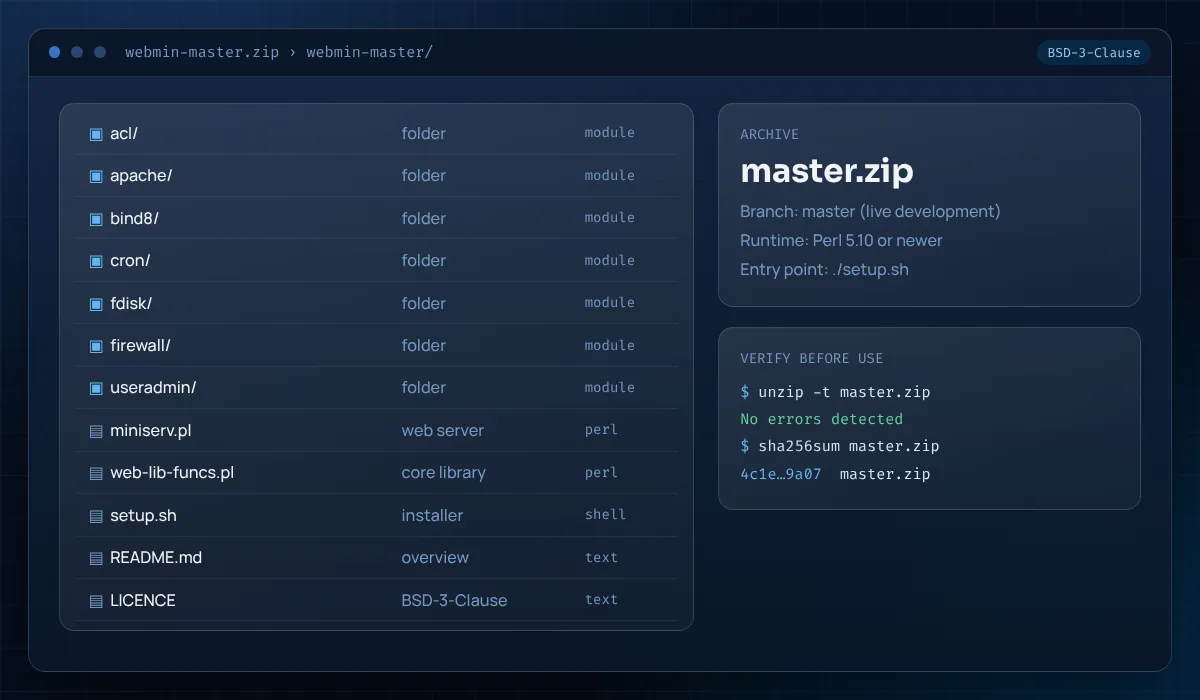
Get the complete Webmin source tree straight from the official GitHub repository: every core module, the miniserv.pl web server and the setup.sh installer in one archive.
Prefer packaged releases for production? Use the repository commands in the installation section and updates arrive with your normal system upgrades.
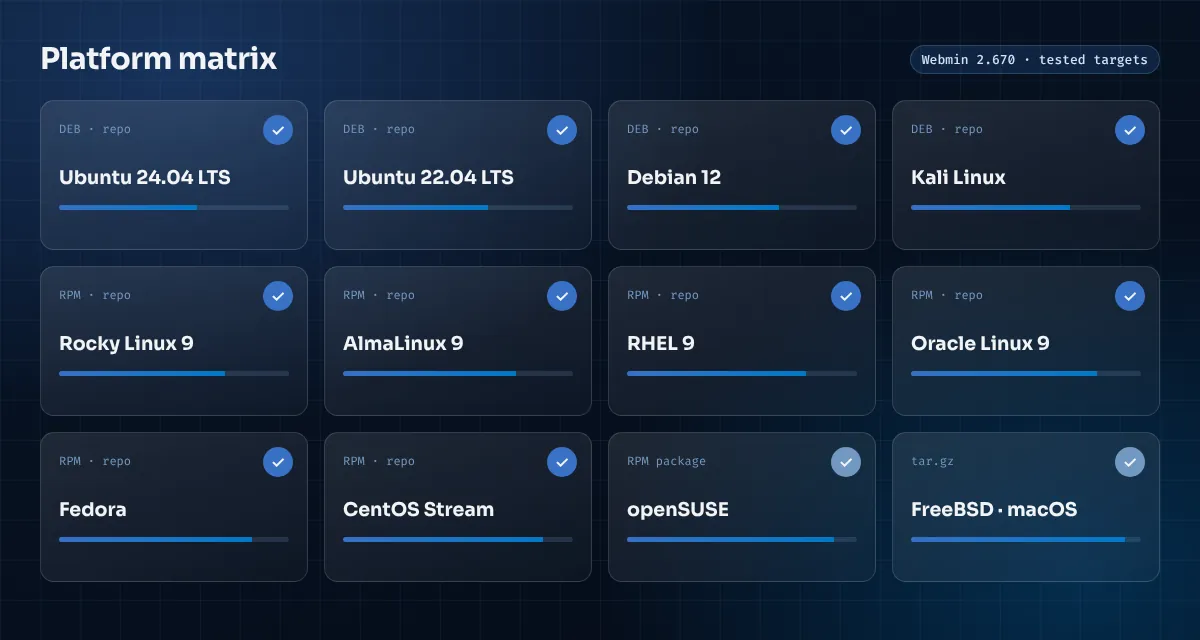
The setup script covers the major RPM and DEB families. Other Unix-like systems use the tarball. Highlighted chips have packages installed through the official repository.
| Criteria | Webmin | Cockpit | cPanel & WHM | SSH only |
|---|---|---|---|---|
| Cost | Free, BSD-3-Clause | Free, LGPL | Paid licence per server | Free |
| Default port | 10000 | 9090 | 2087 (WHM) | 22 |
| Scope | Whole OS plus server software | OS, containers, storage | Web hosting accounts | Everything, by hand |
| Server software modules | Apache, BIND, Postfix, MySQL, Samba and more | Limited; mostly system level | Hosting stack it installs | Manual config editing |
| Distributions | DEB, RPM and tarball for BSD and others | Major Linux distributions | AlmaLinux, Rocky, CloudLinux, Ubuntu | Any |
| Multi-server | Built-in cluster modules | Add hosts from the dashboard | Separate licence per server | Scripts or config tools |
| Learning curve | Gentle; forms mirror config files | Gentle | Gentle for hosting tasks | Steep |
Most problems come down to the port, the certificate or the login account. Open an entry to see the fix.
Check the service with systemctl status webmin, then confirm it listens with sudo ss -tlnp | grep 10000. If it does, the block is a firewall: allow TCP 10000 in ufw or firewalld, and in your cloud provider's security group.
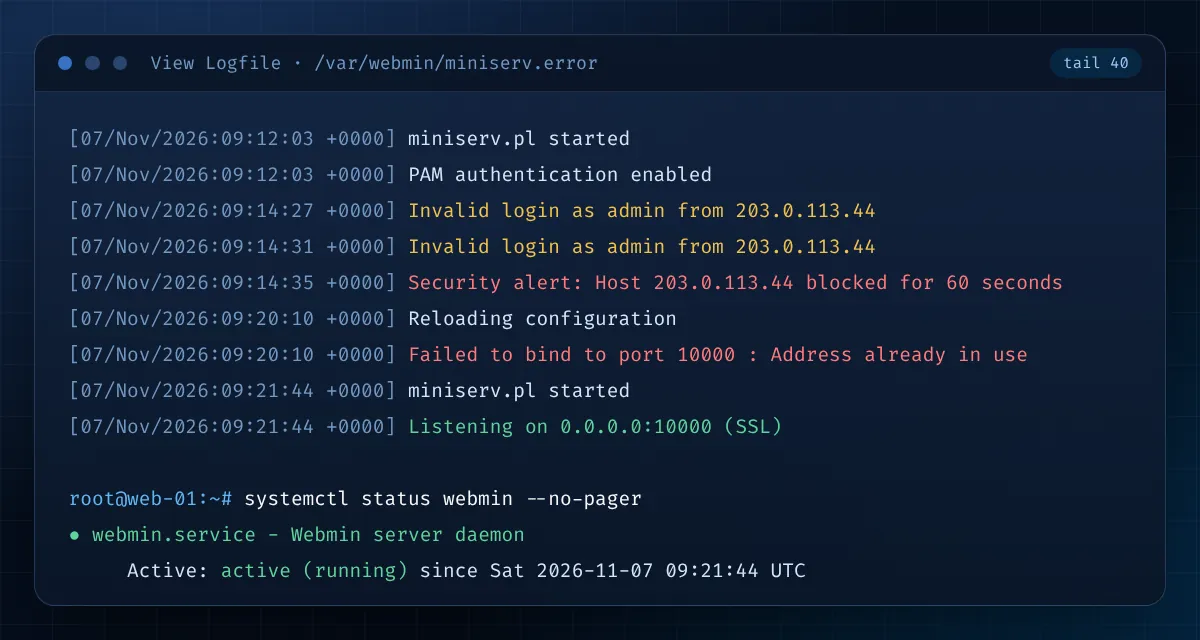
Another process already uses the port, often a second Webmin copy or a tarball install alongside a package. Find it with sudo ss -tlnp | grep :10000, stop the duplicate or move Webmin to a free port in /etc/webmin/miniserv.conf.
Ubuntu locks the root password by default. Log in with your sudo user instead, or reset the Webmin password with sudo /usr/share/webmin/changepass.pl /etc/webmin root NEWPASS.
Several failed logins trigger a temporary block. Wait for it to expire, or restart Webmin with sudo systemctl restart webmin from SSH to clear it, then check Webmin Configuration → Authentication.
You probably typed http://. Use https:// explicitly. Behind a reverse proxy, set the referer and SSL options under Webmin Configuration so redirects use the public hostname.
The module is fine; the server software it manages is missing. Install the package (for example apache2 or bind9), then use Refresh Modules so Webmin detects it.
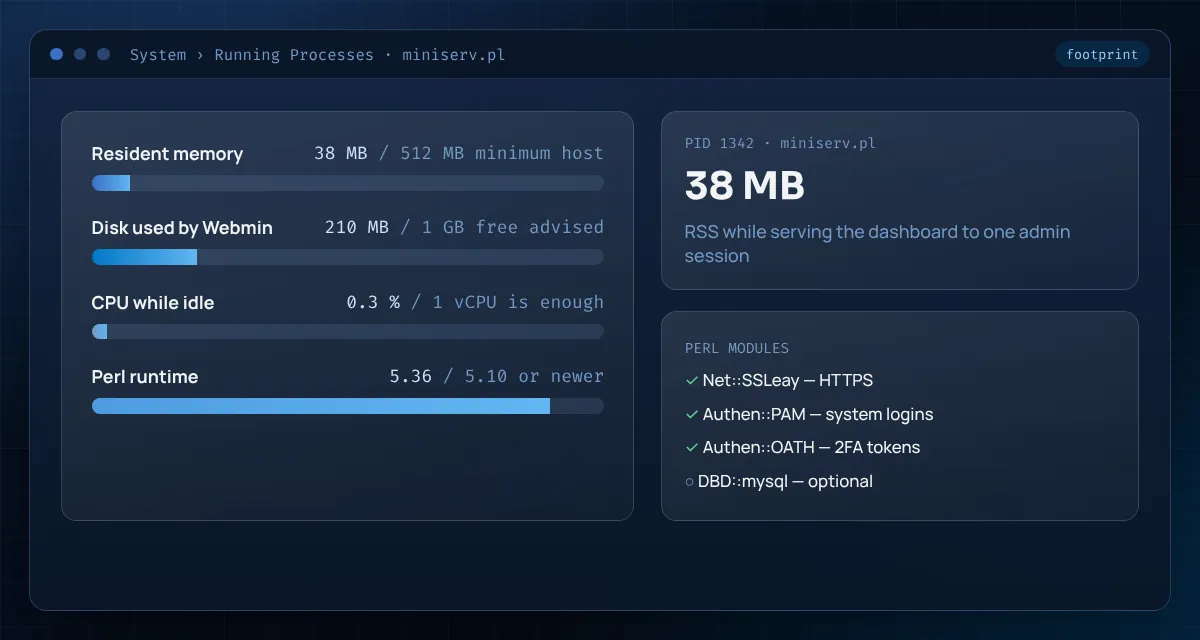
Webmin is light. Plan resources for the services you host on the machine; the panel itself barely registers.
The Webmin process itself typically uses well under 100 MB.
Leave room for logs, action history and package updates.
Load only rises briefly while pages render or modules refresh.
Restrict the source range to your own address or VPN where possible.
| Component | Needed for | Status |
|---|---|---|
| Perl 5.10+ | Running Webmin at all | Required |
| Net::SSLeay | HTTPS on port 10000 | Strongly recommended |
| Authen::PAM | Logging in with system accounts | Recommended |
| Authen::OATH | Two-factor tokens | Optional |
| Modern browser | Chrome, Firefox, Edge or Safari | Required |
# memory, disk and Perl version
free -h
df -h /
perl -v | head -2

# is anything already using the port?
sudo ss -tlnp | grep :10000 || echo "port 10000 is free"
Webmin has root-level reach, so treat it like SSH. These four controls close the gaps attackers look for first.
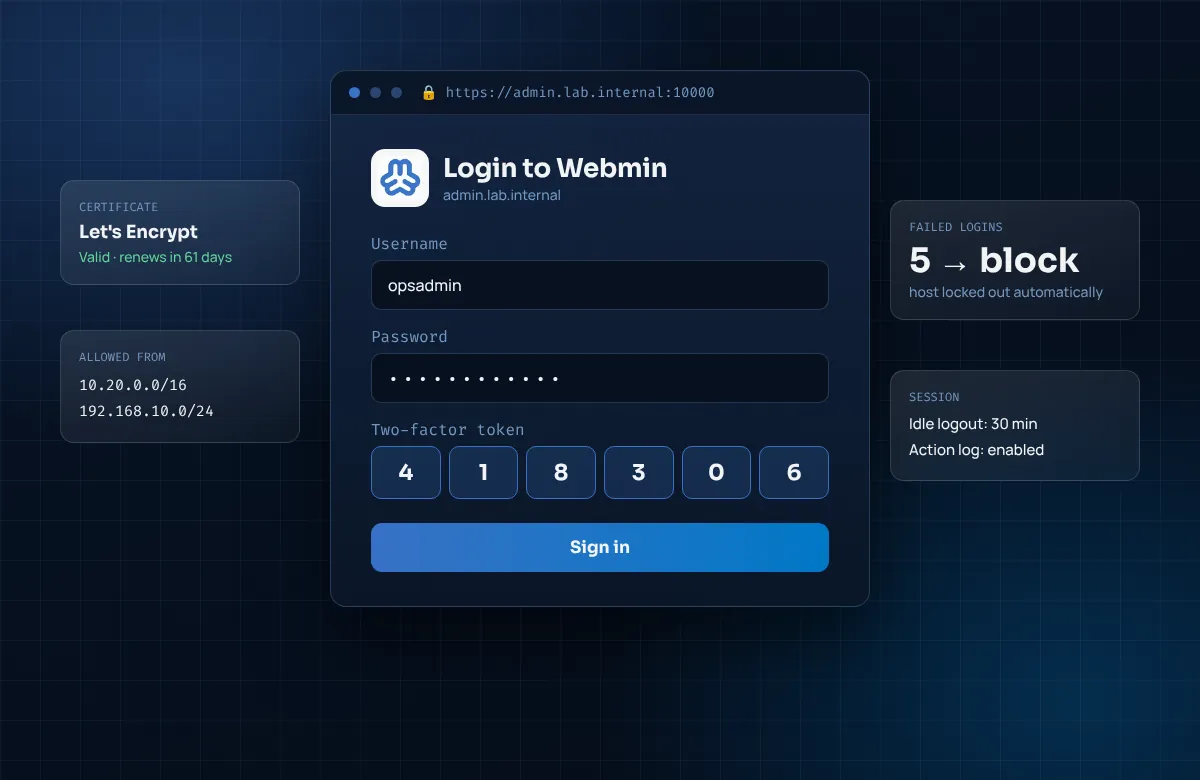

ALLOWUnder Webmin Configuration → IP Access Control, allow only your office, home or VPN addresses, and mirror that rule in the firewall.

TLSReplace the self-signed certificate with Let's Encrypt from SSL Encryption so browsers can verify the server and phishing pages stand out.

AUDITEnable two-factor authentication for every admin and log changes with file diffs, so mistakes and misuse can be traced.

PATCHInstall from the repository so security fixes arrive with system updates, and remove modules you never use.
An honest review, written the way administrators read change sets.
Short answers to the questions that come up during the first week with Webmin.
There is no shared default password. A package install accepts the server's root account or any user allowed to run commands through sudo. On Ubuntu, where root has no password by default, sign in with the sudo user you created during setup. A tarball install asks you to choose a login name and password while setup.sh runs.
Webmin listens on TCP port 10000 over HTTPS, so the address is https://your-server-ip:10000. You can change it under Webmin Configuration → Ports and Addresses or by editing port= in /etc/webmin/miniserv.conf and restarting the service.
Webmin creates a self-signed certificate at install time so traffic is encrypted from the first minute. Browsers cannot verify it, which triggers the warning. Once the server has a DNS name, request a Let's Encrypt certificate from Webmin Configuration → SSL Encryption and the warning goes away.
Yes. Webmin is released under the BSD 3-Clause licence, which allows use on personal, business and client servers without fees. Keep the copyright notice if you redistribute the code.
Current releases target Unix-like systems. On a Windows PC the practical routes are Ubuntu under WSL2 with systemd enabled, or a Linux virtual machine in Hyper-V or VirtualBox. Most people simply manage their Linux servers from a browser running on Windows.
The project publishes packages and tarballs, not an official container image. Webmin can run inside a container, but it then manages that container rather than the host, so a small VM is usually the better test bed.
If you installed from the repository, Webmin updates with the rest of the system through apt upgrade or dnf upgrade, and the dashboard also flags new versions. Tarball installs can be upgraded from Webmin Configuration → Upgrade Webmin.
Webmin manages the whole server for administrators. Usermin, on port 20000, gives ordinary users webmail, password changes and their own files. Virtualmin is a hosting control panel built as a Webmin module for managing many websites, domains and mailboxes.