
Key takeaways
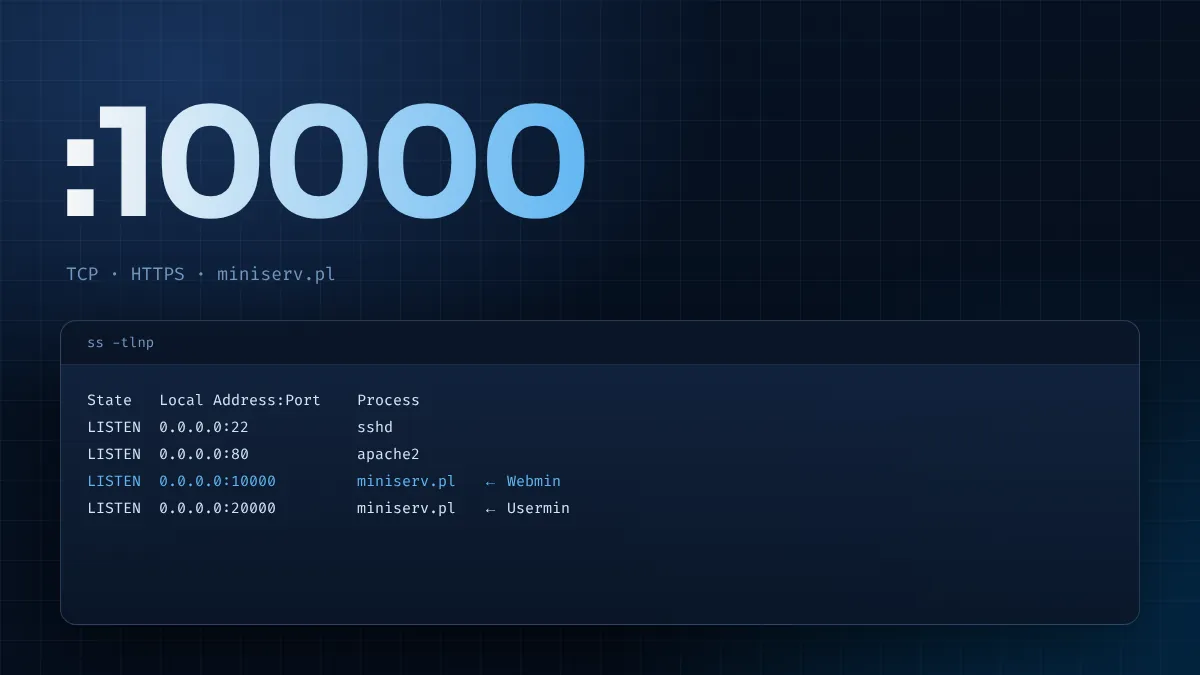
- Webmin listens on TCP 10000 over HTTPS by default.
- The listener is miniserv.pl, Webmin's own built-in web server.
- Usermin uses 20000 by default; cluster discovery uses a UDP listen port.
- Check with ss -tlnp and keep 10000 closed to the public internet.
Every Webmin address you will ever type ends in :10000. That number is the Webmin default port, and it has been the default for as long as most administrators can remember. Knowing exactly what runs there, which protocol it speaks and what other ports sit around it helps you open the right firewall rules, spot conflicts and explain the setup to a security team. This guide is the reference; for a step-by-step port change, see the companion Webmin port guide.
What runs on port 10000
Webmin does not depend on Apache or Nginx. It ships its own small web server, written in Perl, called miniserv.pl. When the webmin service starts, miniserv reads /etc/webmin/miniserv.conf, binds to the configured port and waits for browsers. Every page you see in Webmin is served by that process, which then runs the Perl script for the module you opened.
The key facts about the default listener:
| Property | Default |
|---|---|
| Transport | TCP |
| Port | 10000 |
| Protocol | HTTPS (SSL/TLS enabled when the SSL Perl module is present) |
| Addresses | All IPv4 addresses, and IPv6 if enabled |
| Process | miniserv.pl, run as root |
| Config file | /etc/webmin/miniserv.conf |
Why 10000?
Port 10000 sits in the registered range, above the well-known ports below 1024 that standard services use. Choosing it in the 1990s kept Webmin away from web servers on 80 and 443, meant the panel could coexist with whatever the server was already hosting, and gave administrators a round number that is easy to remember. Since then, the number has become part of Webmin's identity, which is a mixed blessing: it is easy to document, and equally easy for scanners to look for.
Port 10000 is not exclusive to Webmin. Some backup software, notably products that use the NDMP protocol, also uses it by convention. If you run such software on the same machine, you will need to move one of them.
It is HTTPS, not HTTP
A frequent source of confusion is typing http://server:10000. Webmin expects TLS on that port, so a plain HTTP request either gets an error page or a redirect. Always use https://. The first visit shows a certificate warning because Webmin created a self-signed certificate during installation. Replace it with a trusted certificate from Webmin Configuration → SSL Encryption as soon as the server has a DNS name.
If HTTPS does not work at all, the SSL Perl module may be missing. Package installs pull it in with recommended dependencies, which is why the official instructions use --install-recommends on Debian and Ubuntu.
Neighbouring ports you may see
| Port | Used by | Purpose |
|---|---|---|
| TCP 10000 | Webmin | Administrator web interface |
| UDP 10000 | Webmin | Answers broadcast discovery from other Webmin servers (listen=) |
| TCP 20000 | Usermin | Web interface for ordinary users: webmail, passwords, files |
| TCP 10000 (remote) | Webmin cluster | Master server calls slave servers over their Webmin port |
Virtualmin, the hosting panel, runs as a set of Webmin modules, so it shares port 10000 rather than adding a new one. Cluster features talk to each managed server over that server's own Webmin port, so in a cluster you allow 10000 from the master's address to every member, not from the whole internet.
Checking which port Webmin uses
Never assume. A server inherited from someone else may have been moved off the default. Three quick checks:
# what the config says
sudo grep -E '^(port|listen|bind|ssl)=' /etc/webmin/miniserv.conf

# what is actually listening
sudo ss -tlnp | grep miniserv

# whether the service is up
systemctl status webmin --no-pager
If the config says one thing and ss shows another, Webmin was changed but not restarted. Run sudo systemctl restart webmin.
From another machine, a simple test confirms whether the port is reachable through the firewalls in between:
curl -kI https://server-ip:10000/
Any HTTP response, even an error page, proves the network path is open. A timeout points to a firewall; "connection refused" means nothing is listening.
Firewall rules for the default port
The default port only needs to be reachable by the people and systems that manage the server. Typical rules:
# Ubuntu / Debian (ufw), office network only
sudo ufw allow from 203.0.113.0/24 to any port 10000 proto tcp

# Rocky / AlmaLinux / RHEL (firewalld)
sudo firewall-cmd --permanent --add-rich-rule='rule family="ipv4" source address="203.0.113.0/24" port port="10000" protocol="tcp" accept'
sudo firewall-cmd --reload
Pair these with Webmin's own IP Access Control list, and with your cloud provider's security group if the server is in the cloud. Defence in depth means a mistake in one layer does not expose the panel.
Should you keep the default port?
Changing the port is not a security control by itself; a full port scan finds Webmin wherever it listens. But it does have practical benefits:
- Quieter logs. Most automated attacks only probe 10000, so moving reduces noise and makes real alerts easier to spot.
- Policy compliance. Some organisations require admin interfaces on approved ports.
- Conflicts. If another product needs 10000, moving Webmin is often simplest.
Reasons to keep it: documentation, colleagues and support threads all assume 10000, and a non-default port is one more detail to remember during an outage. A sensible middle ground is to keep 10000 but bind Webmin to a VPN or management interface so the public address does not expose it at all.
Short answers
Is 10000 the same for Webmin on every distribution?
Yes. Package and tarball installs all default to 10000. A tarball install asks during setup.sh, offering 10000 as the default answer.
Can Webmin listen on two ports at once?
Yes. The Ports and Addresses table accepts several address and port pairs, which is useful while migrating from one port to another.
Does Webmin need port 80 or 443?
Not for normal use. Port 80 only matters when requesting a Let's Encrypt certificate through the HTTP challenge, and 443 only if you deliberately publish Webmin through a reverse proxy.
What scanners see on port 10000
Internet-wide scanning services index port 10000 constantly, and a Webmin login page is easy to fingerprint. That is why an exposed panel attracts password-guessing within hours of going online, and why an unpatched one can be found quickly when a vulnerability is published. Webmin has had security issues in its long history, all fixed in later releases, and the lesson is the same as for any admin interface: keep it updated and keep it off the open internet. You can check what an outsider sees by running nmap -p 10000 your-public-ip from a machine outside your network. If the port shows as open and you did not intend it, fix the firewall before anything else.
Documenting the port for your team
Record the port, the bind address, the allowed source ranges and the certificate in your server inventory or runbook. Include where the firewall rules live, host firewall, cloud security group or both, so whoever is on call during an outage does not have to rediscover them. If you deviate from 10000, add the reason; a future colleague is much less likely to undo a deliberate decision when they can see why it was made.
Monitoring the default port
A simple external check that the Webmin port answers, from a monitoring system inside your trusted network, catches a stopped service before someone needs the panel in an emergency. Webmin's own System and Server Status module can watch the Webmin port on other servers in a cluster, and an alert when the port stops responding is a useful early warning that a host has failed or a firewall change has gone wrong. Pair that with an alert from outside your network that fires if the port ever becomes reachable from the internet.
The default port on cloud platforms
Cloud servers add a layer that physical servers lack: the provider's network firewall. On most platforms a new instance blocks every inbound port except SSH until you add a rule, so a freshly installed Webmin can be running perfectly yet unreachable on 10000. When you add the rule, set the source to your own address range rather than "anywhere". Some providers also offer one-click marketplace images with Webmin preinstalled; check which port and firewall rules such an image configures before trusting it, because its defaults may be broader than you would choose yourself.
Frequently asked questions
What is the Webmin default port?
TCP 10000, using HTTPS.
What is the Usermin default port?
TCP 20000.
Does Virtualmin use a different port?
No. Virtualmin runs inside Webmin, so it uses the same port.
How do I find the port on an existing server?
Run sudo grep ^port= /etc/webmin/miniserv.conf and sudo ss -tlnp | grep miniserv.
Summary
The Webmin default port is TCP 10000 running HTTPS, served by Webmin's own miniserv.pl. Usermin sits on 20000, cluster discovery uses UDP on the listen port, and Virtualmin shares Webmin's port. Check what your server really uses with ss, open the port only to trusted addresses, and move or bind it when policy or conflicts demand. For the login side of the same picture, continue with the Webmin login guide.